随着人工智能成为日常工作的组成部分,组织需要以与任何关键业务投资相同的严格标准来管理它。企业需要清晰了解使用情况、采用率和支出,以便能够自信地扩展规模,并理解人工智能在哪些方面创造价值。
今天,我们为 ChatGPT Enterprise 推出了信用使用分析功能和更新的支出控制。这些功能帮助企业跟踪信用使用情况,了解采用模式,并就人工智能如何在其组织内部署做出更明智的决策。凭借更清晰的可见性和更灵活的控制,组织可以主动管理成本,为团队提供所需的访问权限,并让人工智能投资专注于最重要的工作。
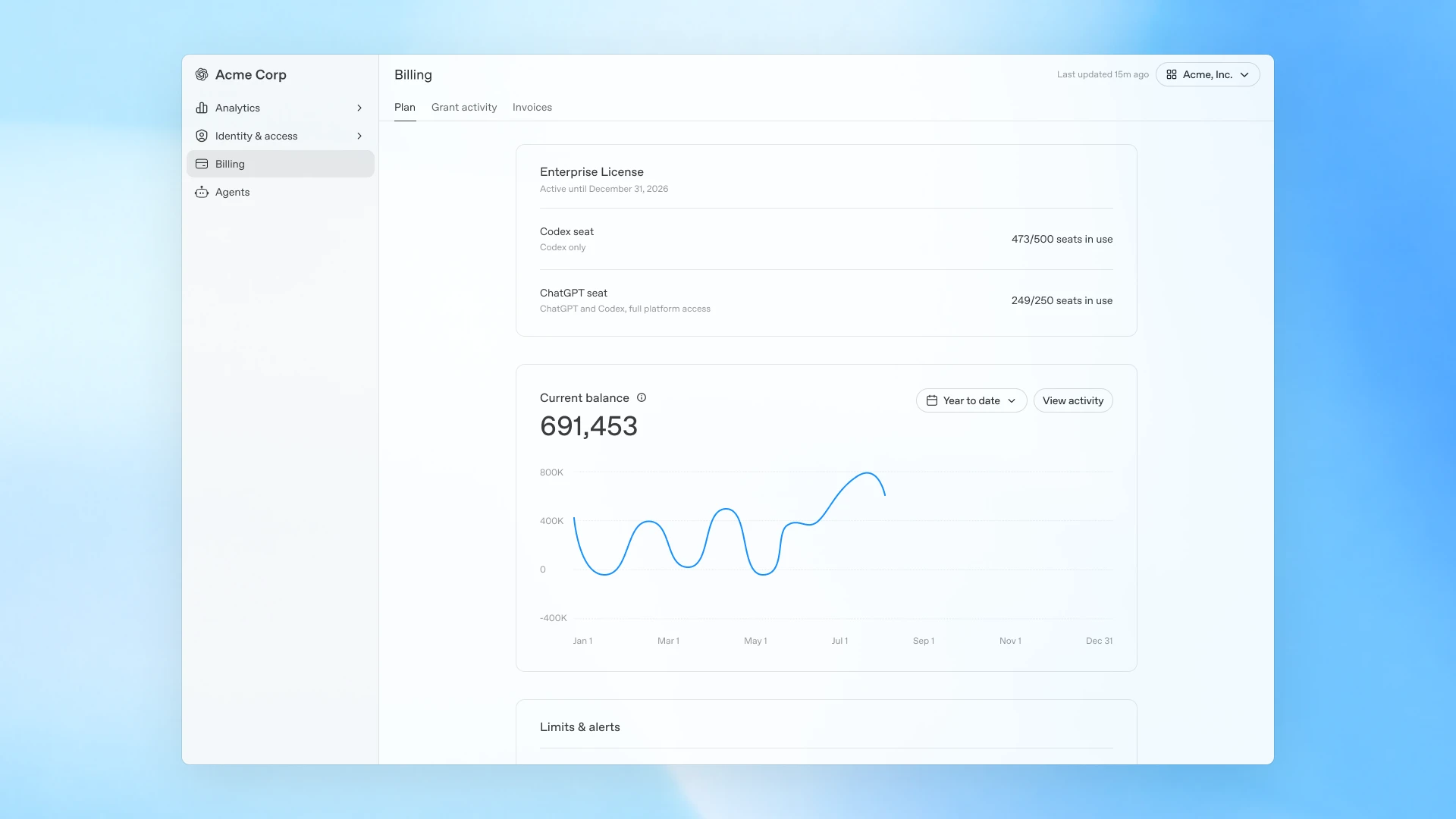
全局管理控制台中的账单标签页和整体计划视图。
全局管理控制台中的新信用使用分析
全局管理控制台将 ChatGPT 和 Codex 的信用使用情况整合到一个视图中,因此管理员可以查看用户、产品和模型之间更细粒度的信用消耗细分——帮助他们了解支出来源以及如何映射到实际信用使用。这使得区分由有价值工作驱动的使用增长和可能需要更仔细审查的使用模式变得更加容易。
现在管理员可以:
- 随时间跟踪使用情况和信用趋势
- 识别顶级用户和新兴的信用使用模式
- 按工作区细分信用支出,包括按用户、产品和模型
- 通过统一的成本 API 访问相同的信用使用数据,以便在自己的系统中进行更深入的分析
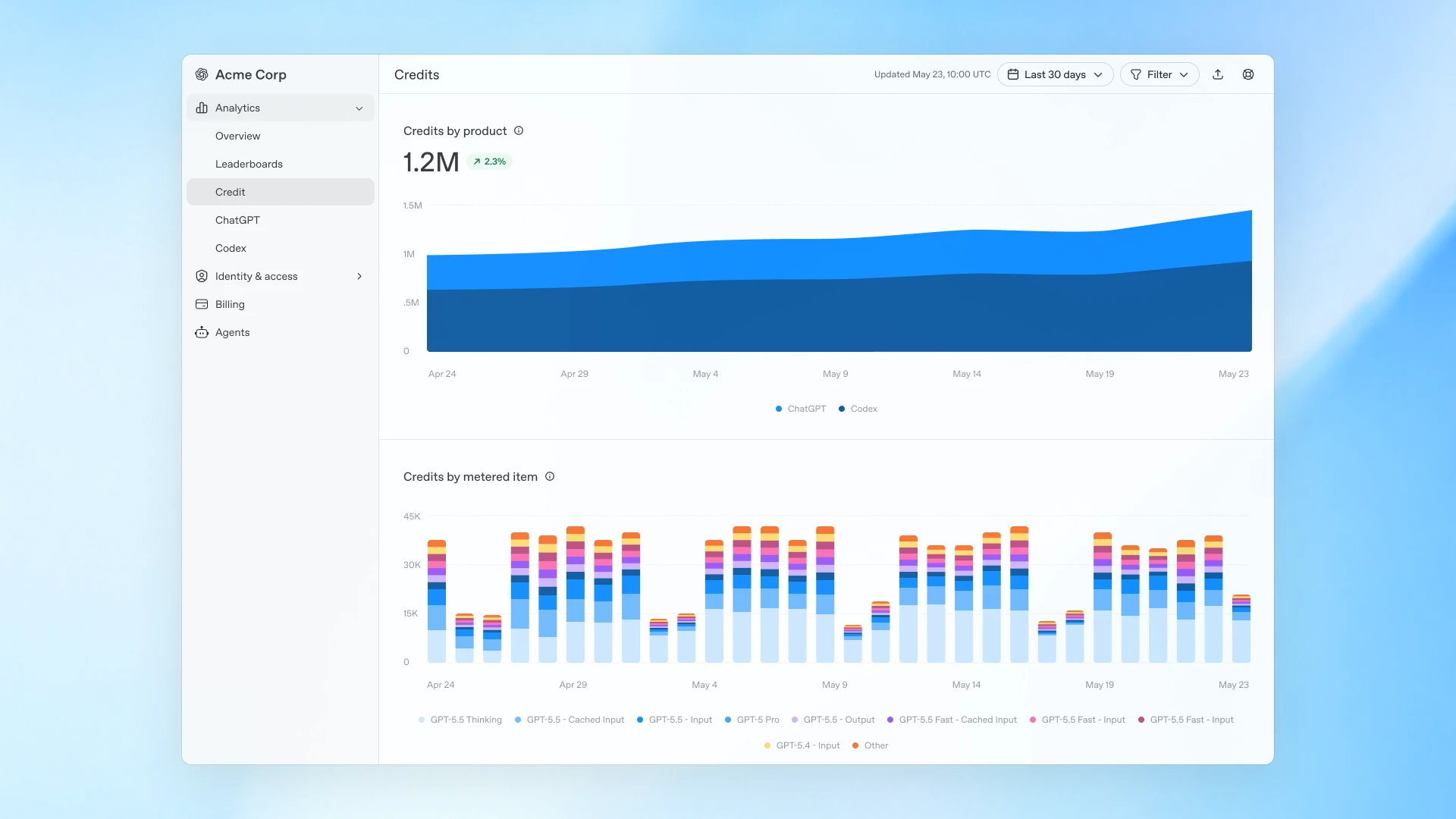
分析概览,显示 ChatGPT 和 Codex 使用情况及信用消耗。
根据团队工作方式设置支出控制
今年早些时候,我们为 ChatGPT Enterprise 中的自定义角色引入了细粒度的信用使用限制(在新窗口中打开),帮助工作区所有者管理不同类型用户的高级模型使用,而无需采用一刀切的限制。
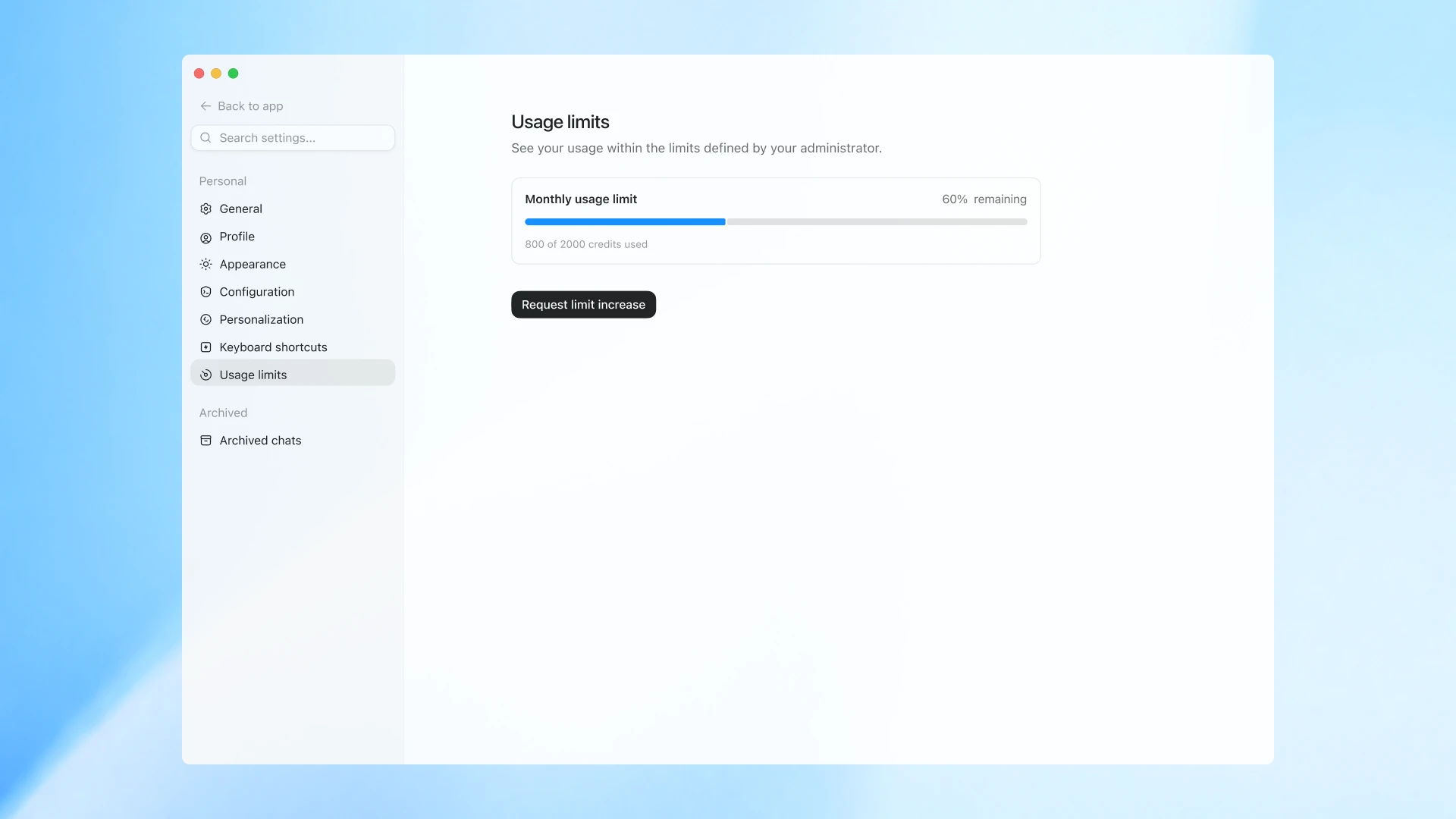
支出控制的最终用户视图及请求增加限制。
现在管理员还可以为其 ChatGPT Enterprise 工作区设置默认限制,为特定组配置限制,并为需要更多容量的个人创建单独覆盖。员工可以查看其信用使用情况与可用预算的对比,在需要时请求额外信用,并包含他们正在处理的工作背景,以便管理员做出明智决策。这使得个人高级用户能够不间断地继续工作,而无需为其他人增加限制。
这些更新的控制共同帮助企业更周到地大规模部署智能,同时为团队提供执行高影响力工作所需的能力。
可用性及后续操作
ChatGPT Enterprise 管理员今天即可开始使用新的分析和更新的支出控制。这些工作区中的用户也可以通过进入其工作区设置来查看其信用使用情况。
对如何最好地为工作区实施控制有疑问?请在此处联系我们,或直接联系您的 OpenAI 团队。
As AI becomes part of everyday work, organizations need the ability to manage it with the same rigor they apply to any critical business investment. Companies need a clear view of usage, adoption, and spend so they can scale with confidence and understand where AI is creating value.
Today, we’re introducing credit usage analytics and updated spend controls for ChatGPT Enterprise. These capabilities help companies track credit usage, understand adoption patterns, and make more informed decisions about how AI is deployed across their organizations. With clearer visibility and more flexible controls, organizations can proactively manage costs, give teams the access they need, and keep AI investments focused on the work that matters most.
Billing tab and overall plan view in the global admin console.
New credit usage analytics in the Global Admin Console
The Global Admin Console brings ChatGPT and Codex credit usage into one view, so admins can see a more granular breakdown of credit consumption across users, products, and models—helping them understand where spend is coming from and how it maps to actual credit usage. This makes it easier to distinguish between increased usage driven by valuable work and usage patterns that may require closer review.
Now admins can:
- Track usage and credit trends over time
- Identify top users and emerging credit usage patterns
- Break down credit spend across the workspace, including by user, product, and model
- Access the same credit usage data through the unified Cost API for deeper analysis in their own systems
Analytics overview showing ChatGPT and Codex usage and credit consumption.
Set spend controls around the way teams work
Earlier this year, we introduced granular credit usage limits(opens in a new window) for custom roles in ChatGPT Enterprise, helping workspace owners manage advanced model usage across different types of users without one-size-fits-all restrictions.
End-user view of spend controls and requesting limit increase.
Now admins can also set a default limit for their ChatGPT Enterprise workspace, configure limits for specific groups, and create individual overrides for people who need more capacity. Employees can see their credit usage against their available budget, request additional credits when needed, and include context about what they’re working on so admins can make an informed decision. This allows individual power users to keep working without interruption or the need to increase limits for everyone else.
Together, these updated controls help companies deploy intelligence more thoughtfully at scale, while giving teams the capabilities they need to do high-impact work.
Availability and what you can do next
ChatGPT Enterprise admins can start using the new analytics and updated spend controls today. Users in these workspaces can also view their credit usage by going to their workspace settings.
Have questions about how best to implement controls for your workspace? Contact us here, or reach out directly to your OpenAI team.
本文内容采集自官方网站,排版和翻译可能与原页面存在差异。
阅读官方全文